
PRG2 setup
Reading complex expressions
When you start reading some code in libraries or for more complex projects than your labs, you'll start encountering complex expressions like here.
const char (*p)(double, float *);
How are you mentally reading that ? p is a pointer to a function taking a double and pointer to a float, this function returns a constant char.
There is a nice rule called the Clockwise/Spiral Rule sent by David Anderson on a Google Groups forum in 1994. You can see a formatted version here.
If you prefer to see a video, you can use another approach.
Interpreting Complex Declaration | How to read complex declaration in C / C++ ?
Accessing documentations
Man pages
The C documentation is mostly available through man pages, so having a nice colored manual display is important
# Add colors to man page ! Use bat as pager.
export MANPAGER="sh -c 'col -bx | bat -l man -p'"
export GROFF_NO_SGR=1
Here is the result
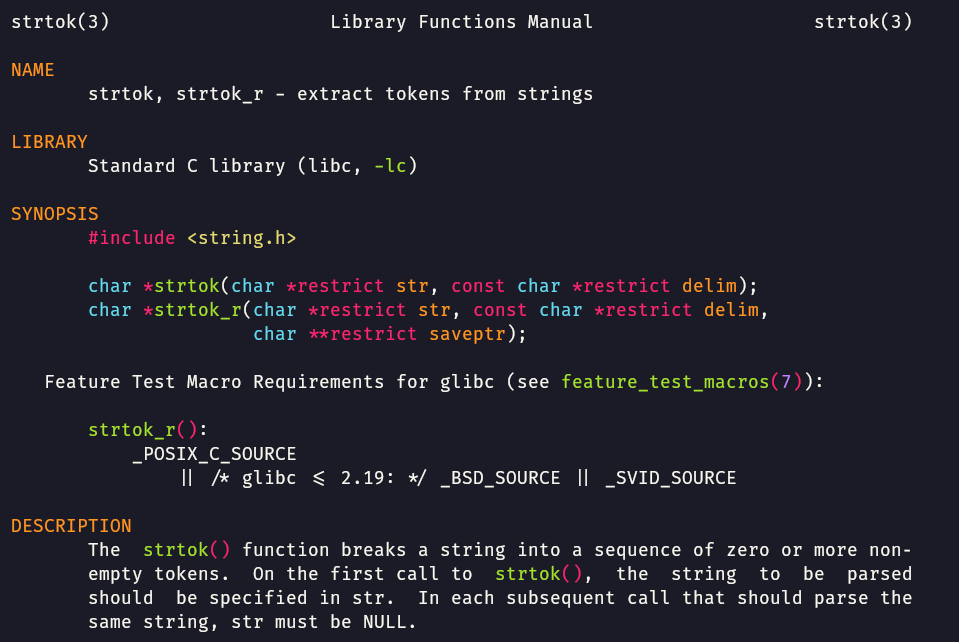
You can try other highlighting themes of bat, see the list in bat --list-themes and choose with --theme="theme name here".
This obviously requires bat: sudo dnf install bat.
Tips in VSCode
You can easily visit man pages with a few colors with this extension
code --install-extension meronz.manpages
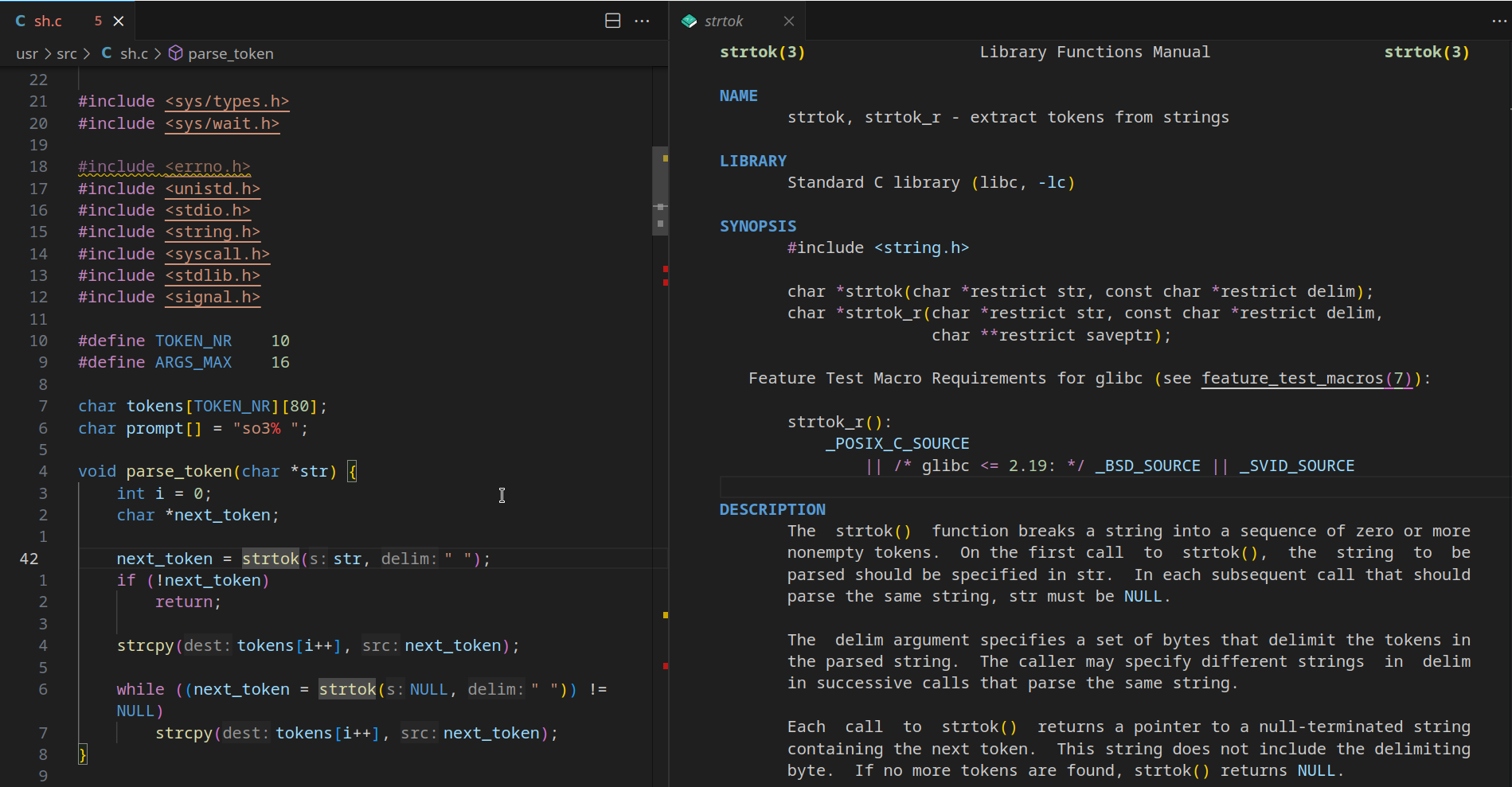
The 3 useful actions:
- (Only from shortcut)
manpages.openFromCursor: With your cursor on a C function (let's sayprintf), runCtrl+6to open theprintfman pages on a split page. This actually works any keyword that has a manual page, you can also use this on commands inside a given script. - (Accessible via Command Palette >
Man: Open page)manpages.openFromInput: Same but opens a prompt to give the man page name - (Accessible via Command Palette >
Man: Search (apropos))manpages.searchFromInput: Same but opens a prompt to search across all man pages for a given keyword in name or short description
Here a snippet to insert in keybindings.json to quickly change the first shortcut to something else if you don't like the default ones.
{
    "key": "ctrl+shift+m",
    "command": "manpages.openFromCursor"
},
A more complex solution if you want to access all actions
I'm really not a fan of my choices, just adapt the shortcuts to something that makes more sense and tell me if you find something logical !
{
    "key": "ctrl+shift+m c",
    "command": "manpages.openFromCursor"
},
{
    "key": "ctrl+shift+m i",
    "command": "manpages.openFromInput"
},
{
    "key": "ctrl+shift+m s",
    "command": "manpages.searchFromInput"
},
Random tips
- Binary files inspection: when working with binary files you might want to manually check the result or inspect the files to see exact bytes. For this, using
xxdorhexdump(with-Cor-c) works well ! - Your tips ??
Did you found some errors or improvements ? Please contribute back by email (samuel.roland username for heig domain) or with a PR !