
Easier UML diagrams
If like most students you are bored of writing and updating UML diagrams by hand... we have a helper for you ! You can auto-generate that from your Java code during the project. This is possible because our dedicated tool CTP (Code To PlantUML). This is far from the perfect tool and requires learning a bit of PlantUML layout skills, but we believe this is time gain at the end.
CTP
The solution is a custom tool we built called CTP. You'll be able to generate this kind of diagrams in seconds not hours. More complex diagrams will need a few manuals adjustements, mostly to add cardinalities and do some layout. Most of the times, you'll be able to save time.
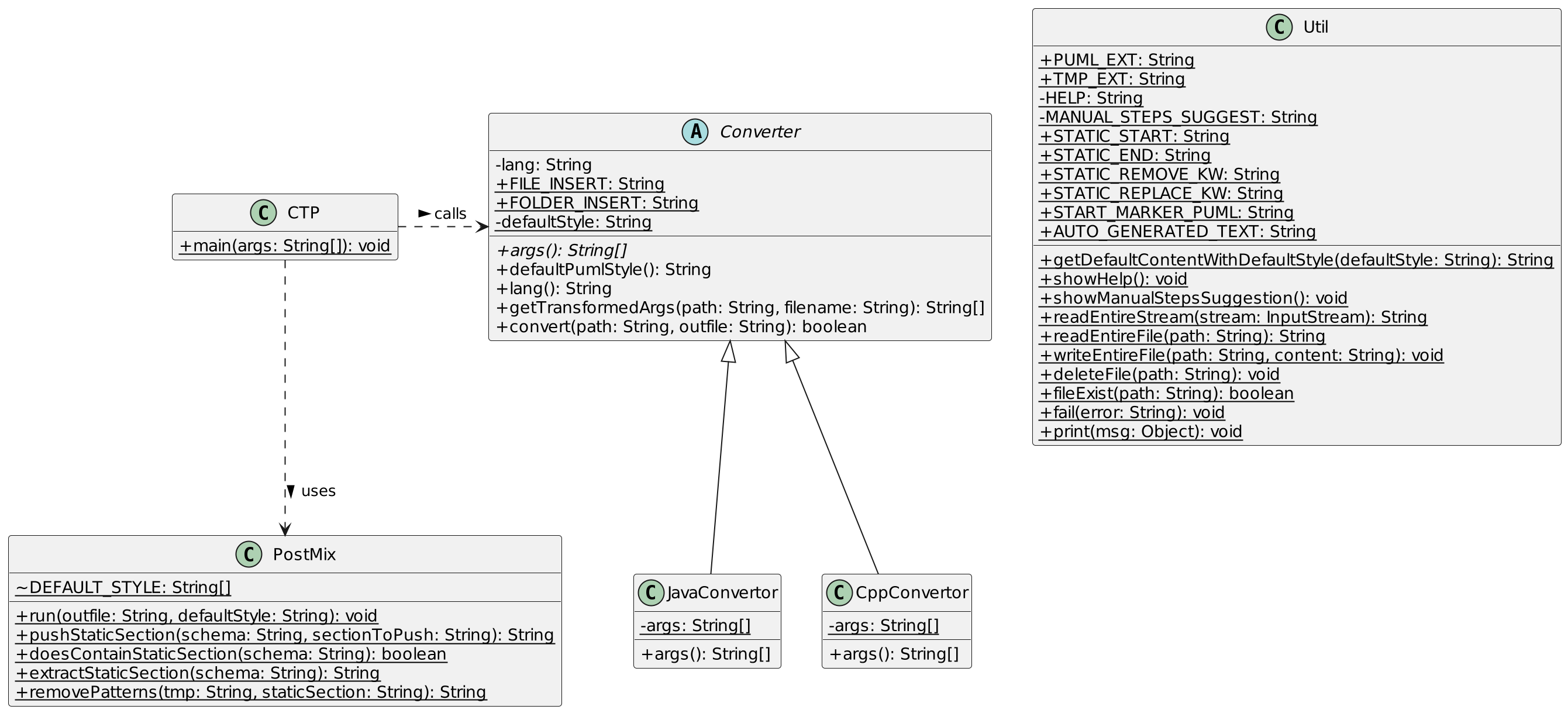
Go read the README, install it and run it once to build the Docker image.
Warning for the chess lab: If you have an error There is no such thing as a local interface or other Java parsing issue, please update CTP and the underlying docker image with these 2 commands.
lxup get ctp
ctp rebuild
PlantUML
TODO small guide.
Run a local server via Docker
This commands starts it and will restart it always except if you docker stop it (it restarts after crash or OS reboot). I chose the port 5076 as it is probably not used by something else... Using 5000-5001 or something near 1000 multiple is too frequent and you might get collisions with other services later.
docker run -p 5076:8080 --restart unless-stopped -d plantuml/plantuml-server
VSCode setup
To install the VSCode extension, just run
code --install-extension jebbs.plantuml
Here is the configuration I recommend in your VSCode settings.json (Commande Palette > Preferences: Open User Settings (JSON)). The 2 first lines are mandatory to use the local server, the rest is up to you.
// PlantUML - local generation via Docker image running on localhost:5076
"plantuml.render": "PlantUMLServer",
"plantuml.server": "http://localhost:5076",
"plantuml.diagramsRoot": ".",
"plantuml.exportSubFolder": false,
"plantuml.exportOutDir": ".",
Now open any valid .puml file, hit Alt+d and the preview should open. It is refreshing kinda automatically, but you can force the refresh by running the same shortcut again.
Jetbrains setup
IIRC you can search your settings for "PlantUML" and that's just an option to toggle. Or maybe there is a plugin... This will not use the local server but the server .jar directly which could be a bit slower.
Terminal usage
It's possible to export and thus view the the generated schema. It is just sending the diagram via curl to the local server. Install icat if you want to see the image result after export.
Use experimental lxup get puml from another terminal window or tab. This is not reloading automatically but kinda makes the job.
Here is the help
# puml - Convert PlantUML schema to PNG/SVG or other supported formats
# Author: Samuel Roland
# Synopsis: puml [PlantUML file] [export format]
# Examples: puml # auto detect .puml files
#           puml diagram.puml # export given file in SVG
#           puml diagram.puml png # export given file in PNG
# License: MIT
# Notice: Copyright (c) 2024 Samuel Roland
# Source: https://codeberg.org/samuelroland/productivity/src/branch/main/HEIG/tools

set PUML_SERVER http://localhost:5076
set PUML_DEFAULT_FORMAT svg
Note: autodetection of puml file is not implemented...
In Lazyvim
- TODO: find a plugin that works with the server
- find or create a tree sitter grammar
- Make
puml.fishwatchable or find a way to run in loop and see the image at the same time!