
Hacks
This page document a few hacks to improve your experience once you are correctly installed.
External monitor via USB-C
The community has waited for a long time on this feature. Working all day on a 14 inch laptop is not the best screen experience, but sadly this is not currently supported...
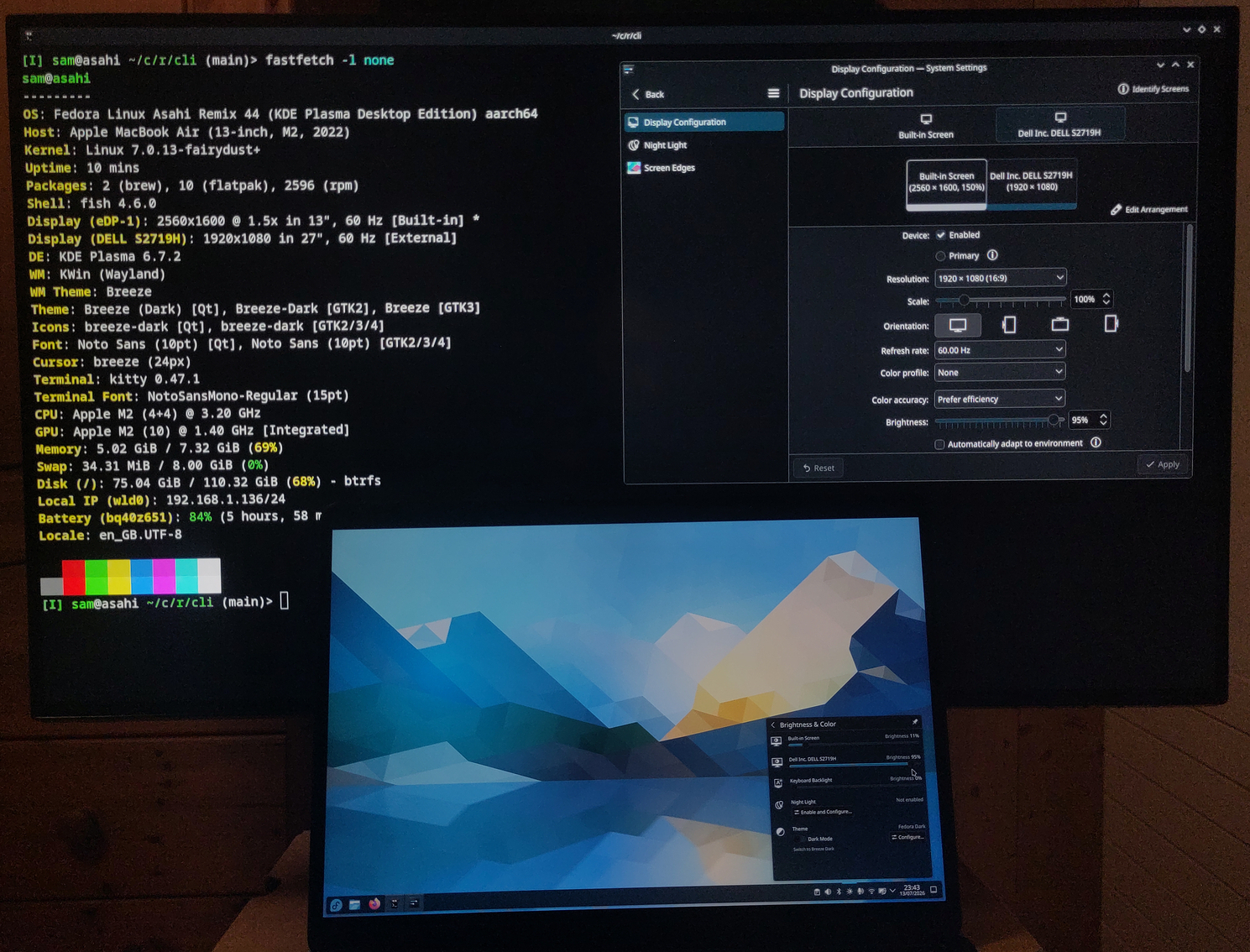
The blog article on Asahi Linux website for Progress Report: Linux 6.19, released on 2026-02-15 brings very good news !
In December, Sven gave a talk at 39C3 recounting the Asahi story so far, our reverse engineering process, and what the immediate future looks like for us. At the end, he revealed that the slide deck had been running on an M1 MacBook Air, connected to the venue’s AV system via a USB-C to HDMI adapter! At the same time, we quietly pushed the fairydust branch to our downstream Linux tree. This branch is the culmination of years of hard work from Sven, Janne and marcan, wrangling and taming the fragile and complicated USB and display stacks on this platform.
After reading these good news, the challenge is: how can we try out this fairydust branch ? How to compile their kernel and use it from the current Asahi Fedora installation ? Instead of spending hours reading docs trying to figure it out, there is dead simple solution from a Reddit post: Got USB-C external display working on MacBook Air M2 (fairydust) — wrote a one-command build script.
Like many of you, I've been waiting for USB-C display output for a long time. After the 39C3 demo and the fairydust branch release, I decided to build it myself on my M2 Air running Fedora Asahi Remix with XFCE.
It works. 4K 60Hz on a Samsung display via a USB-C to HDMI adapter.
... and from the project's README
Apple Silicon MacBooks (M1/M2) running Asahi Linux cannot output to external displays via USB-C in the stable kernel. The Asahi team has developed experimental support in their fairydust kernel branch. This script automates building and installing that kernel.
This is a single Bash script, that runs an hour, you reboot on the new kernel and you are done! Just follow the instructions in the README !
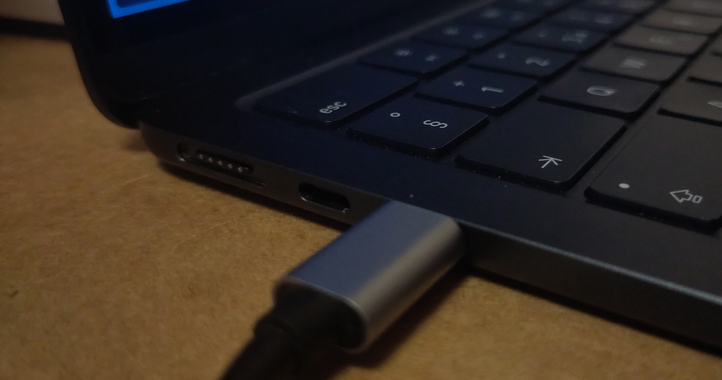
After the installation, make sure to use the front-USB port for the external screen as shown in the image. Otherwise the screen will not display anything (as of 2026-07-14).
On boot, you have to press Escape when you see the U-boot counter reaching 0. It will open the GRUB menu visible below, so you can pick the fairydust kernel. If you don't do this manipulation, the first entry (the existing kernel) will be used (in this case just reboot to try again).

Shared partition
As Linux cannot read APFS volume and MacOS cannot read BTRFS filesystems, there is no easy way to share files between the two OS... Instead of sending your big files by email, or using a USB stick, you can just create a shared space to transfer files to the other side.
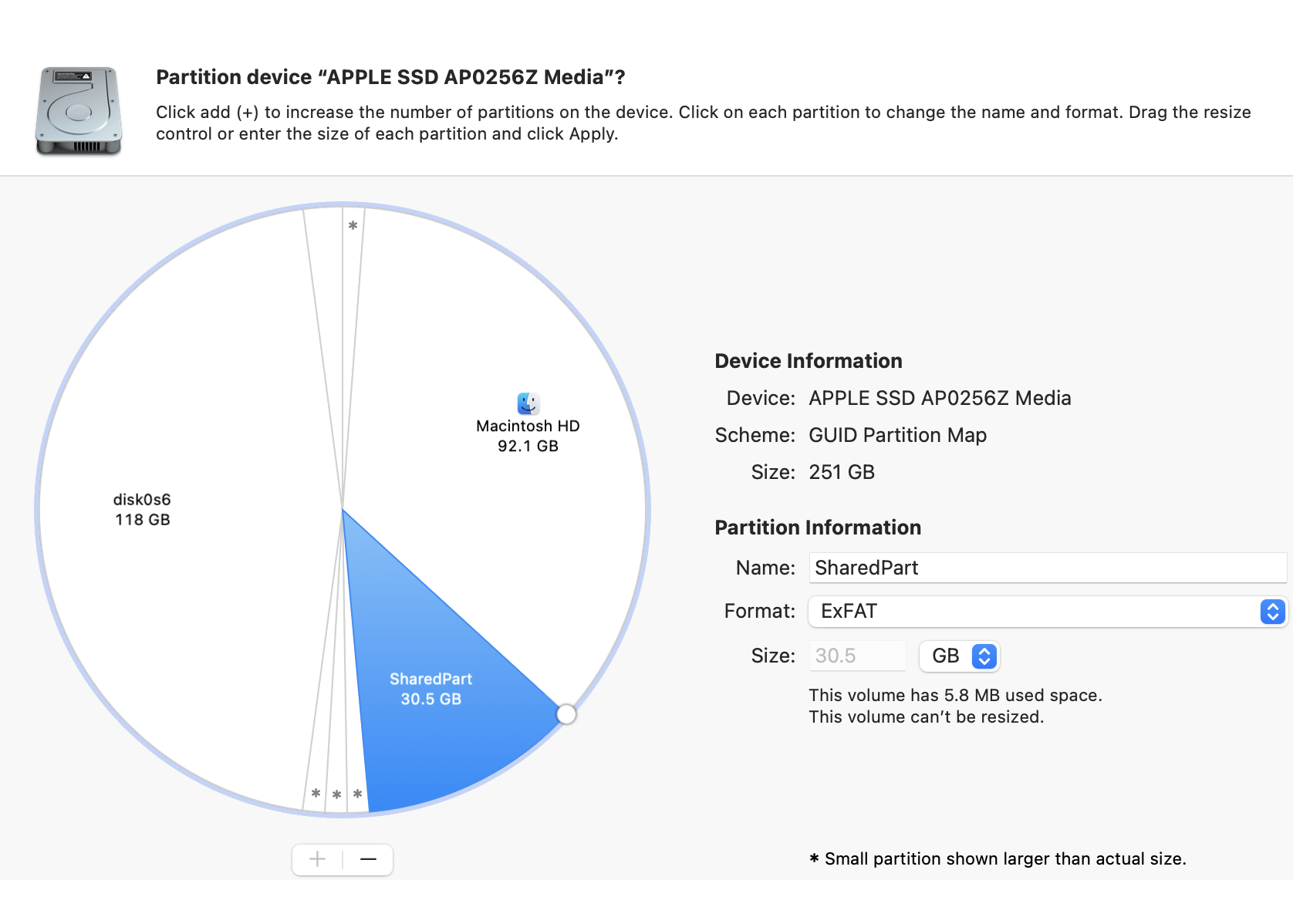
The section shows how you can create a shared partition SharedPart of 30GB, by reclaiming space from the MacOS partition. Open Disk Utility on MacOS, click on the MacOS volume, click on Partition.
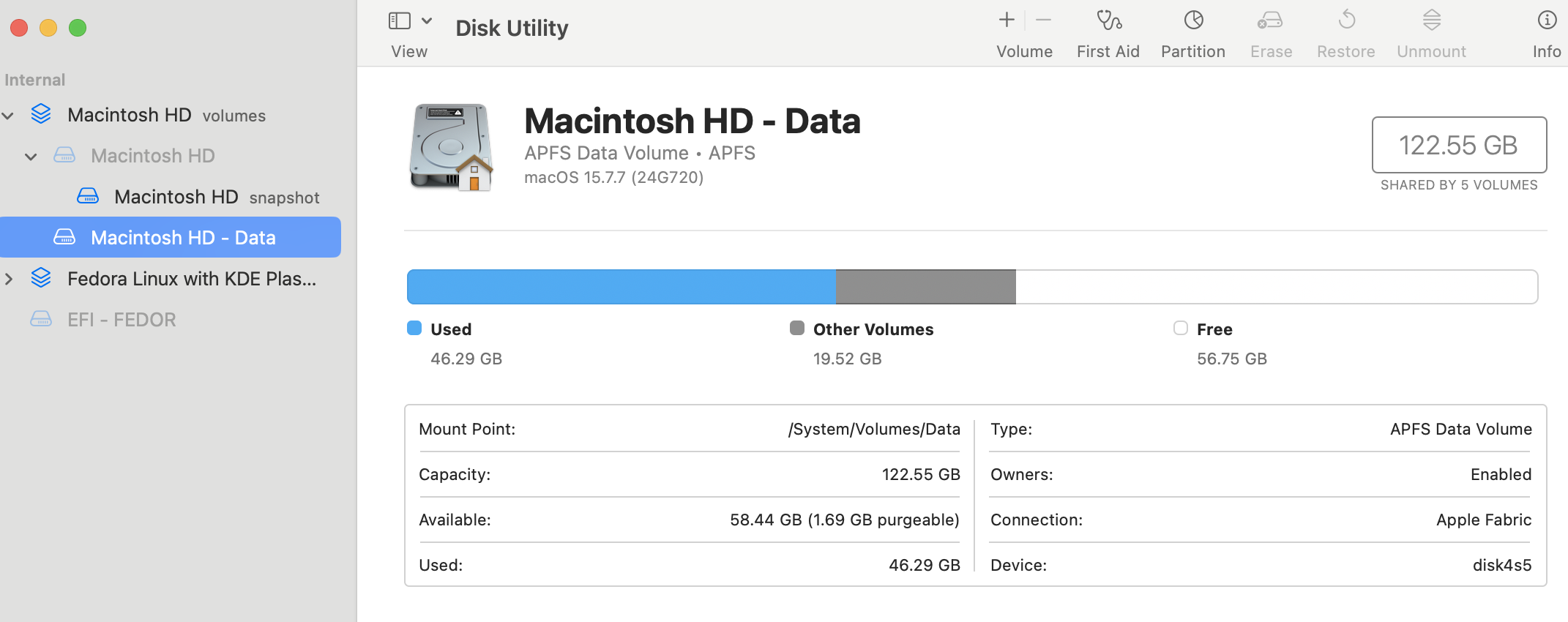
You can drag the bubble to reduce the size of the Macintosh HD partition, to get as much space as you need. You can name the partition at right and choose the format. The format must obviously be compatible on both sides (ExFAT is probably a good default).
Then click Apply and wait a few moment. If you have tons of files on MacOS it might take a longer time to resize.
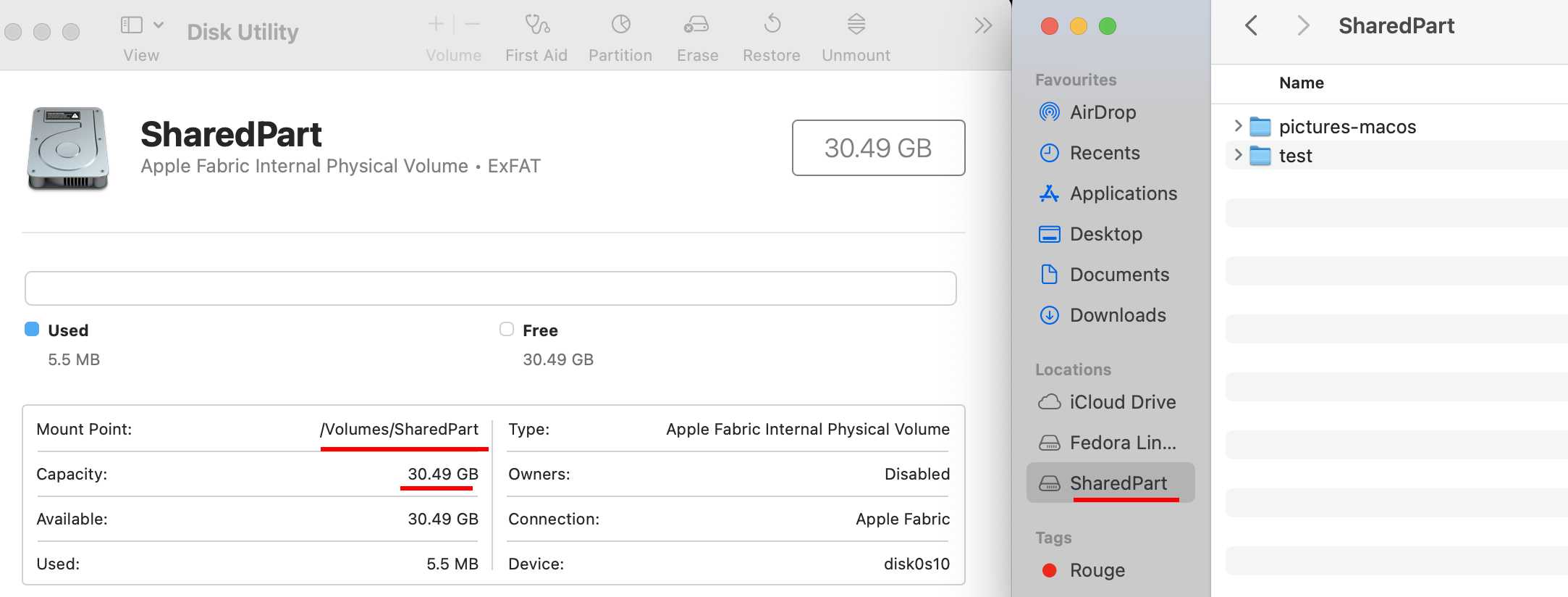
When finished, you'll see the new partition both in Disk Utility and Finder :)
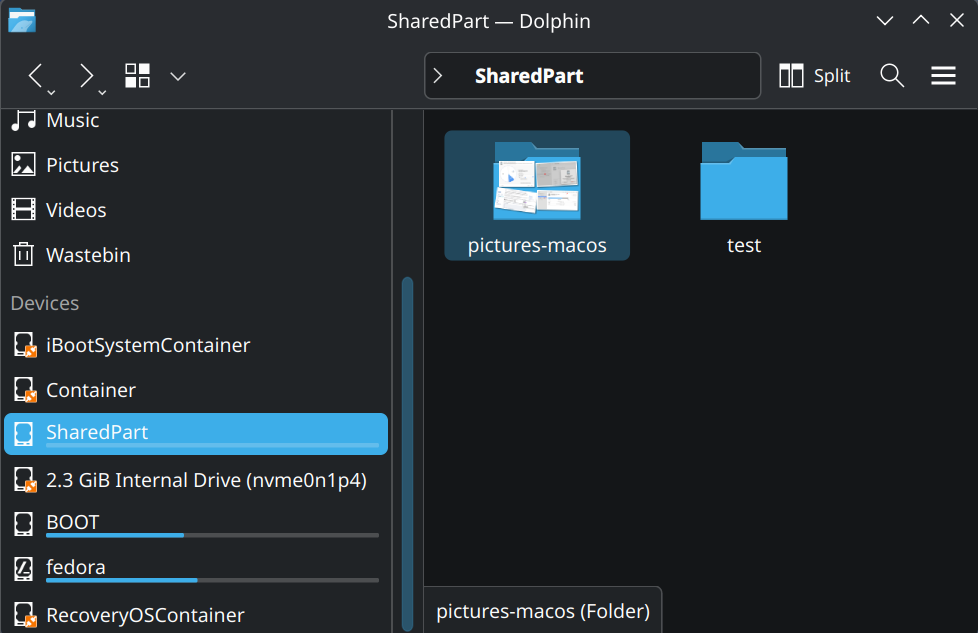
On the Linux side, you'll also see the SharedPart with the same files, mission accomplished !
Mount external LUKS partition
[I] sam@asahi /mnt> lsblk -fm
NAME        FSTYPE      FSVER LABEL       UUID                                 FSAVAIL FSUSE% MOUNTPOINTS   SIZE OWNER GROUP MODE
sda         crypto_LUKS 2                 42dd3f63-f74a-417c-8f20-2e9d493832e4                              1.8T root  disk  brw-rw----
└─srdbak    btrfs             BKP-SRD-1   2aafcc3f-f8e6-4ee3-b3d0-bf1a0565f3ea                              1.8T root  disk  brw-rw----
[I] sam@asahi /mnt> lsblk -fm
NAME        FSTYPE      FSVER LABEL       UUID                                 FSAVAIL FSUSE% MOUNTPOINTS   SIZE OWNER GROUP MODE
sda         crypto_LUKS 2                 42dd3f63-f74a-417c-8f20-2e9d493832e4                              1.8T root  disk  brw-rw----
└─srdbak    btrfs             BKP-SRD-1   2aafcc3f-f8e6-4ee3-b3d0-bf1a0565f3ea                              1.8T root  disk  brw-rw----
 sudo mount /dev/mapper/srdbak srdbak/
mount: /mnt/srdbak: wrong fs type, bad option, bad superblock on /dev/mapper/srdbak, missing codepage or helper program, or other error.
       dmesg(1) may have more information after failed mount system call.
```text
[ 3057.888013] BTRFS: device label BKP-SRD-1 devid 1 transid 2258 /dev/mapper/srdbak (252:0) scanned by mount (27972)
[ 3057.892372] BTRFS info (device dm-0): first mount of filesystem 2aafcc3f-f8e6-4ee3-b3d0-bf1a0565f3ea
[ 3057.892375] BTRFS info (device dm-0): using crc32c checksum algorithm
[ 3057.892378] BTRFS warning (device dm-0): space cache v1 is being deprecated and will be removed in a future release, please use -o space_cache=v2
[ 3057.892379] BTRFS warning (device dm-0): v1 space cache is not supported for page size 16384 with sectorsize 4096
[ 3057.892383] BTRFS error (device dm-0): open_ctree failed: -22
[ 3189.345287] macsmc-power macsmc-power: Emergency notification: Battery status is OK?
With the help of ChatGPT, I tried to mount by asking to clear cache of free space
There are two implementations of the free space cache. The original one, referred to as v1, used to be a safe default but has been superseded by v2.
There are two implementations of the free space cache. The original one, referred to as v1, used to be a safe default but has been superseded by v2.
sudo mount -t btrfs -o clear_cache,space_cache=v2 /dev/mapper/srdbak /mnt/srdbak
During the operations sudo dmesg --follow
[ 3312.612941] BTRFS: device label BKP-SRD-1 devid 1 transid 2258 /dev/mapper/srdbak (252:0) scanned by mount (28610) [ 3312.616075] BTRFS info (device dm-0): first mount of filesystem 2aafcc3f-f8e6-4ee3-b3d0-bf1a0565f3ea [ 3312.616080] BTRFS info (device dm-0): using crc32c checksum algorithm [ 3315.404289] BTRFS info (device dm-0): creating free space tree [ 3329.345293] macsmc-power macsmc-power: Emergency notification: Battery status is OK? [ 3330.636923] BTRFS info (device dm-0): setting compat-ro feature flag for FREE_SPACE_TREE (0x1) [ 3330.636932] BTRFS info (device dm-0): setting compat-ro feature flag for FREE_SPACE_TREE_VALID (0x2) [ 3331.073034] BTRFS info (device dm-0): cleaning free space cache v1 [ 3331.617087] BTRFS info (device dm-0): enabling free space tree [ 3331.617095] BTRFS info (device dm-0): force clearing of disk cache