
CLI
Tired of running ./st, waiting, typing a command, typing another one, typing a third one, typing Ctrl+c, oups that's Ctrl+x a, nope, let's try Ctrl+a x..., okay it has exited. What was the precedent execution result... (scrolling dozens of boot lines)... ah, it's the same as before. Back to code...
Here is a solution to this painful process !
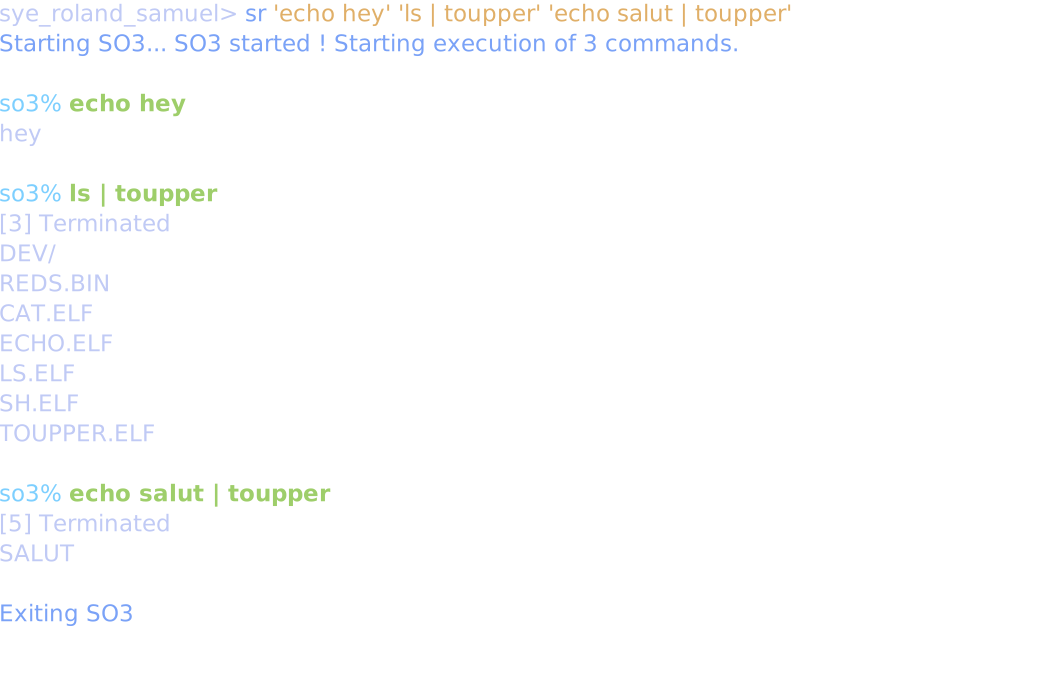
If you want to see it's execution, look at this demo sr.cast to see the terminal recording !
Examples
You can type sr hello to run the hello command inside SO3. You can chain several commands like sr hello "echo soo cool" ls but commands including spaces MUST be surrounded by quotes. You can quit the process with Ctrl+C. If you are stuck in the middle of an execution, open another terminal and run sudo killall qemu-system-arm.
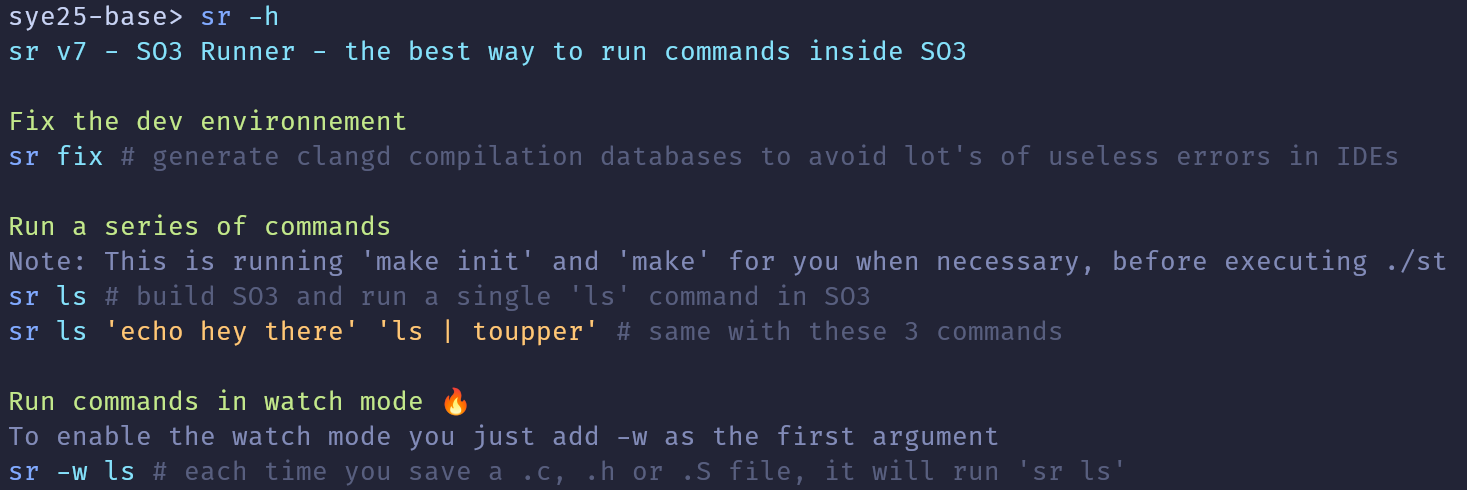
You can forget the make init and make commands as sr is running them for you and only when it's needed ! (Except for debugging, where you need to still need to run make yourself, as the debug setup in VSCode is not using sr).
The compilation output is not displayed if it succeed. Otherwise, the output is cleaned and displayed.
Here is an example of the build output of the default experience by running make yourself.
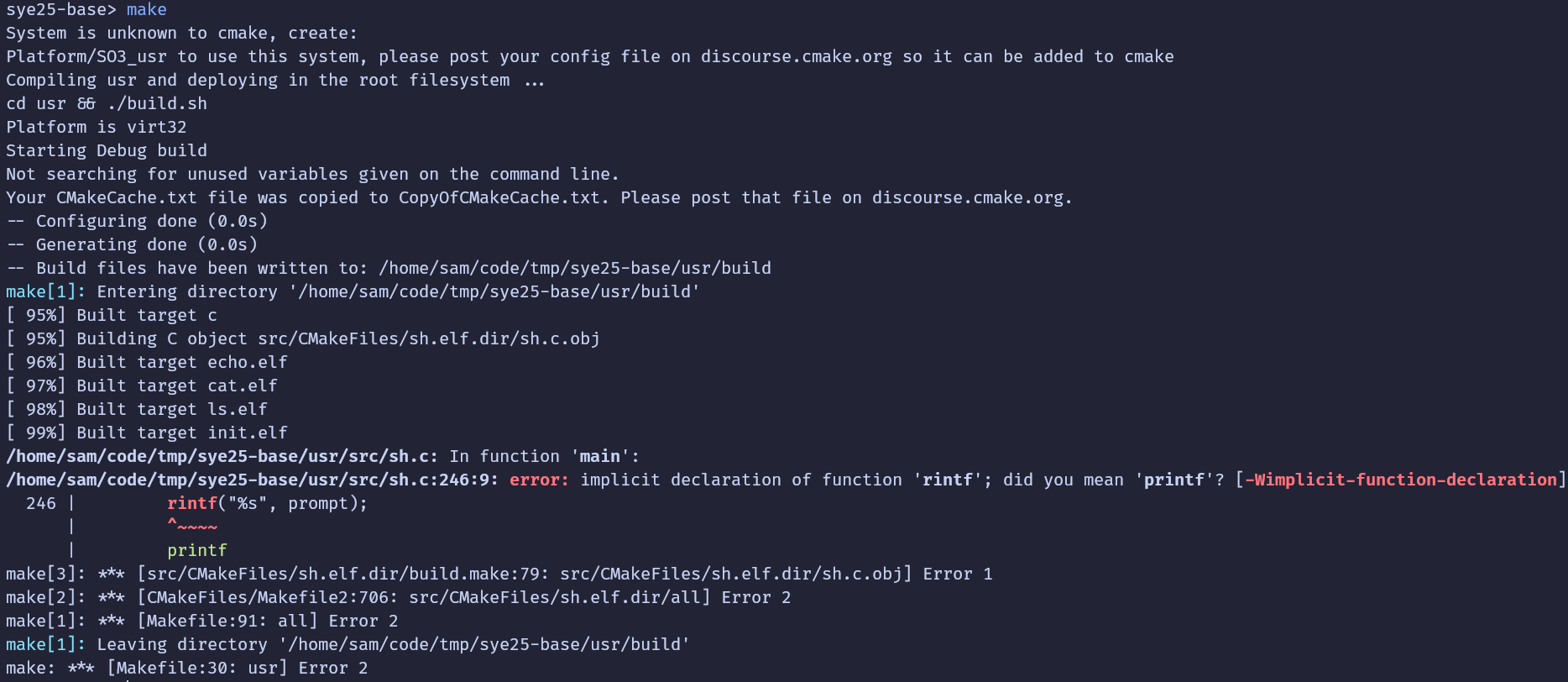
And here is the way sr is going to show it after having removed all the useless lines and transformed absolute paths.

Which one do you prefer :)
There is even a watch mode. Adding -w as first argument will run the command again after any code change.
[!IMPORTANT] Make sure your
sr -vversion is v12 or higher
To install or update SR, just run the lxup get sr again. From time to time you can run it in case I did an update. A better update system will be developed one day.
By the way, the uboot delay of 2 seconds ( Hit any key to stop autoboot: 2) is just skipped :)
Note: for one lab with background process implementation, it doesn't work as you wish it would (when running sr 'ls &' you might not see the Terminated)...
See workaround
As you can see below, the [2] Terminated is not displayed. It should indicate when the sleep command. The issue is that sr sees the so3% prompt and thinks okay I guess all commands are done, I can kill SO3....
$ sr "sleep 4 &"
Rebuilding... ✅
Starting SO3...
SO3 started ! Starting execution of 2 commands.

so3% sleep 4 &

Exiting SO3
The workaround is to append more commands without background mode to make it wait enough time so you can see the Terminated line.
$ sr "sleep 2 &" ls "sleep 2"
Rebuilding... ✅
Starting SO3...
SO3 started ! Starting execution of 3 commands.

so3% sleep 2 &

so3% ls
dev/
reds.bin
cat.elf
echo.elf
ls.elf
sh.elf
sleep.elf

so3% sleep 2
[3] Terminated

Exiting SO3
If it doesn't work for you, no issue, just use the regular ./st !