
PWA usage on Linux
Manual setup
Chromium setup
No matter if this is a valid PWA or not, you can "install" the website as PWA, it will create a desktop entry, you will it on the start menu.
Steps
-
Go on the main page that you want to see open you open the page (taking login page here is not ideal, but I cannot login here)
-
Follow these 3 clicks
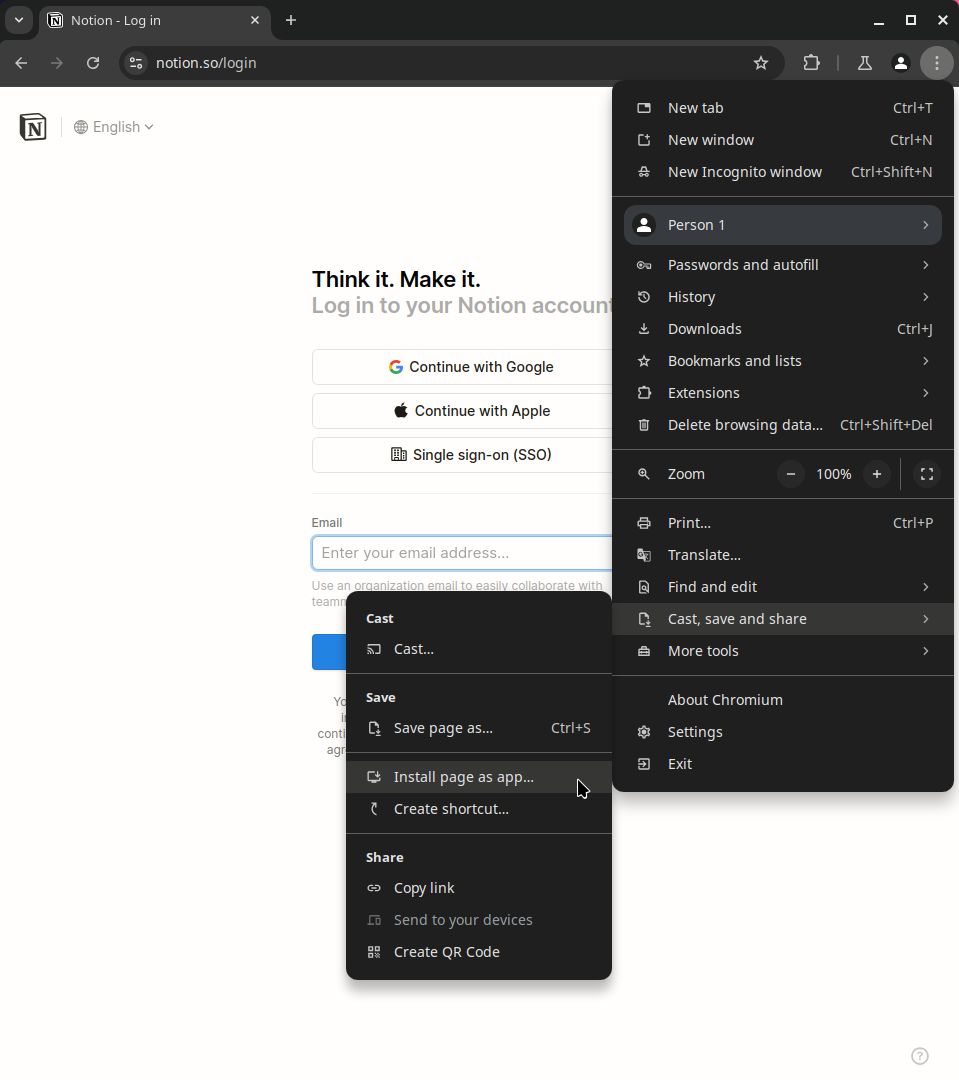
-
Confirm installation
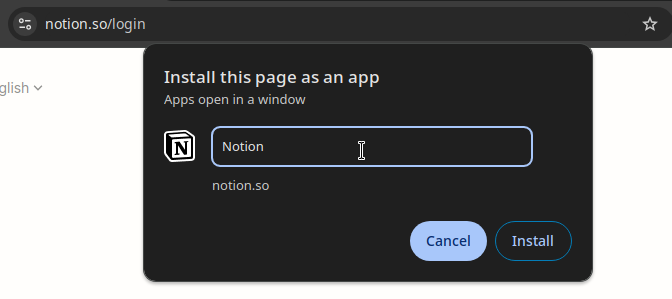
-
Open it via your start menu to verify it is present
Firefox PWAs
Firefox doesn't support PWA natively sadly, but there is a project called PWAsForFirefox that solves this issue.
If you prefer Firefox or want to simplify automation, this option allows you to install any PWA via the CLI given a manifest URL like this
firefoxpwa site install https://web.whatsapp.com/data/manifest.json
Automated setup with Ansible
Chromium PWAs doesn't support automations really well, I figured out a way to make it work in this Ansible archive, but I switched to Firefox PWA afterward to make it easier to automate.
You can have a look at pwa.yml to see how I did it.