
Troubleshooting
Take inspiration for other distributions
If you are not on the supported distributions, but you are interested a native setup
- You can probably reuse or adapt the two Bash scripts
asm.x86-arm.shandasm.x86-i686.shto install the 2 toolchains - You can find the list DNF of dependencies by looking at my playbook
asm.yml - Also look at
base.yml - You need to install
asm.fishandr.fishandcmr.fishvialxup get <tool>, once you havelxup - You may want to install Eclipse, you can do it with
snap
Ask me on Teams or by email for help if you are stuck ! I'm happy to give some help.
Notes
These errors shown when running ./st seem to not be a problem, as they also appear in the provided VM...
qemu/arm-softmmu/qemu-system-arm: /lib64/libtinfo.so.6: no version information available (required by qemu/arm-softmmu/qemu-system-arm)
qemu/arm-softmmu/qemu-system-arm: /lib64/libncursesw.so.6: no version information available (required by qemu/arm-softmmu/qemu-system-arm)
qemu/arm-softmmu/qemu-system-arm: /lib64/libncursesw.so.6: no version information available (required by qemu/arm-softmmu/qemu-system-arm)
qemu/arm-softmmu/qemu-system-arm: /lib64/libncursesw.so.6: no version information available (required by qemu/arm-softmmu/qemu-system-arm)
qemu-system-i386: warning: TCG doesn't support requested feature: CPUID.01H:ECX.fma [bit 12]
[...]
Could not open option rom 'kvmvapic.bin': No such file or directory
On Fedora, IIUC there is no equivalent to this, things are probably already installed if it compiles and run.
sudo apt install gcc-multilib
Debugging debug
arm-none-linux-gnueabihf-gdb seems to require python 2.8 which is obsolete. Actually, this is useless to try to fix that, because gdb on Fedora and gdb-multiarch on Ubuntu, seems to be enough.
> arm-none-linux-gnueabihf-gdb
Could not find platform independent libraries <prefix>
Could not find platform dependent libraries <exec_prefix>
Consider setting $PYTHONHOME to <prefix>[:<exec_prefix>]
Python path configuration:
  PYTHONHOME = (not set)
  PYTHONPATH = (not set)
  program name = '/usr/local/bld-tools/bld-tools-virtual-env/bin/python'
  isolated = 0
  environment = 1
  user site = 1
  import site = 1
  sys._base_executable = '/usr/local/bld-tools/bld-tools-virtual-env/bin/python'
  sys.base_prefix = '/usr'
  sys.base_exec_prefix = '/usr'
  sys.executable = '/usr/local/bld-tools/bld-tools-virtual-env/bin/python'
  sys.prefix = '/usr'
  sys.exec_prefix = '/usr'
  sys.path = [
    '/usr/lib/python38.zip',
    '/usr/lib/python3.8',
    '/usr/lib/lib-dynload',
  ]
Fatal Python error: init_fs_encoding: failed to get the Python codec of the filesystem encoding
Python runtime state: core initialized
ModuleNotFoundError: No module named 'encodings'

Current thread 0x00007fbeeb36a2c0 (most recent call first):
<no Python frame>
Remaining experience issues
If anybody want to dig into this and document solutions, I'm more than happy to integrate them !
Build before run and watch mode in asm CLI
Like sr in SYE, this is going to be developed one day. I have no more time for now.
Build before debug in asm CLI
This is hard to implement, because I cannot figure out to avoid VSCode to start annoying popups of debug timeout, when the project fails to build.
No syntax highlighting in VSCode
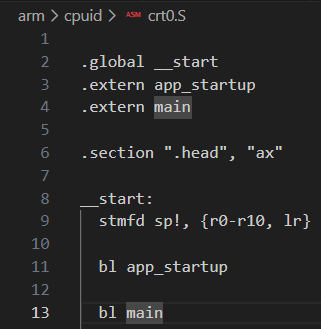
These tree-sitter syntaxes could be tested and installed.
No language server
This project asm-lsp looks promising, but doesn't have a VSCode extension. https://github.com/bergercookie/asm-lsp
Debug configuration in other IDEs
Is there a way to recreate the same experience in Neovim, like the debug experience of VSCode ?